

By Grumpy UX Designer
Your Landing Page Roast 🔥
https://quickmedcards.com
UX score
UX-quality weighted
Verdict
A landing page that attempts elegance but trips over its own design choices. It's like trying to run gracefully with untied shoelaces.
Where the UX fails
Navigating this form feels like an Easter egg hunt, minus the cute chocolate bunnies. Is this a medical form or an IQ test?
mediumnavigationThe form items are densely packed with little guidance, possibly overwhelming users and complicating data entry.
Fix
Break the form into smaller, digestible sections with clear headings to guide users through the process.
A 'Contact Us' link buried in the footer with no fanfare? What a way to make users feel welcome. Maybe next time, underline it with invisible ink.
mildnavigationThe important 'Contact Us' link is inserted within a dense cluster of links, likely causing users to overlook it due to lack of visibility and prominence.
Fix
Make 'Contact Us' more prominent by distinguishing it with a distinct button or positioning it away from less critical links.
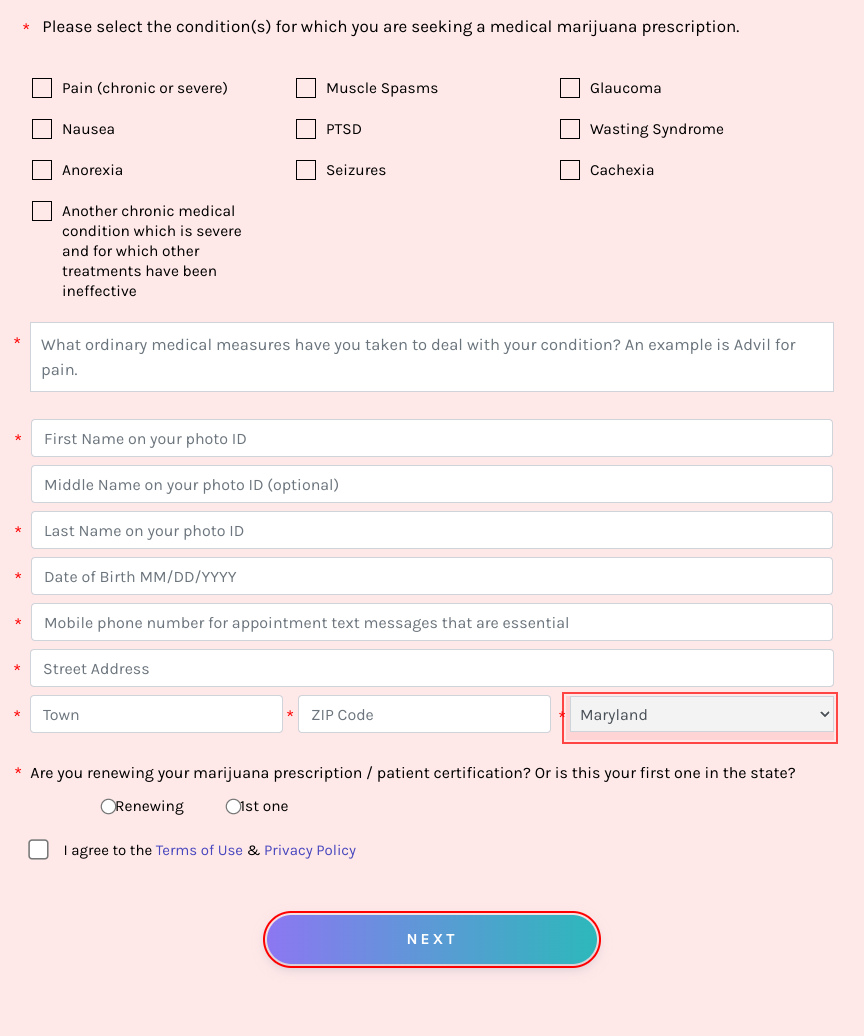
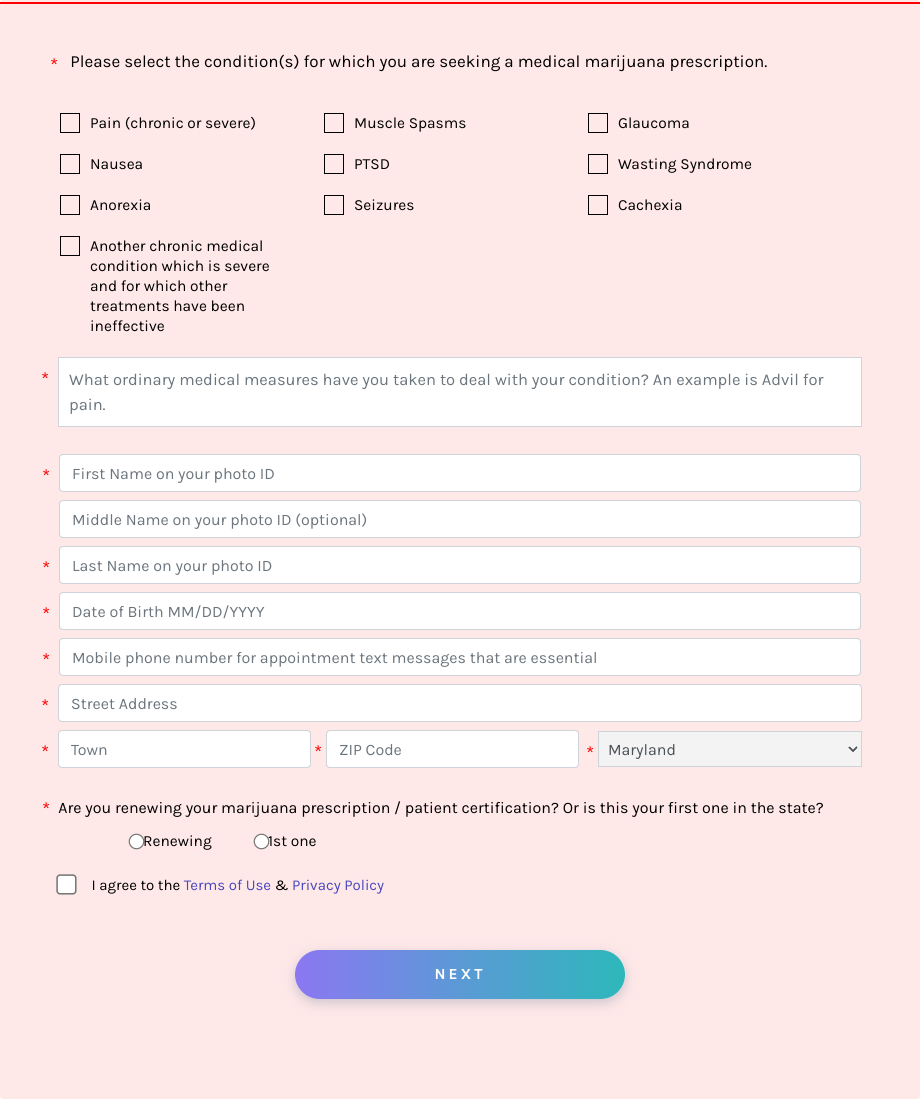
Oh, the excitement of scrolling down the page to find out... wait, is it 'maryland' with a lowercase 'm'? Either someone failed Geography 101, or they just couldn't bother pressing shift. For a site about professional certifications, an eye for detail would be nice!
mediumreadabilityThe name 'Maryland' should be capitalized to maintain proper noun standards. Failure to adhere to basic grammar rules can undermine user trust in the site's professionalism.
Fix
Use proper capitalization for place names like 'Maryland'.

Ah, the 'About Us' section—a literary masterpiece that's as exciting as reading terms and conditions. If only the passion for making medical marijuana more accessible was matched by some design flair.
mediumreadabilityThe 'About Us' section is visually bland and text-heavy, which can easily lose a user's attention quickly.
Fix
Consider adding engaging visuals or icons to break up the text and capture user interest.
HIPAA Compliant, but not readability compliant. Could we try a font size that doesn't require the viewer to zoom in?
mediumreadabilityThe small font size used for section titles makes it hard to read, particularly for users with visual impairments.
Fix
Increase the font size to enhance readability and cater to all user groups.
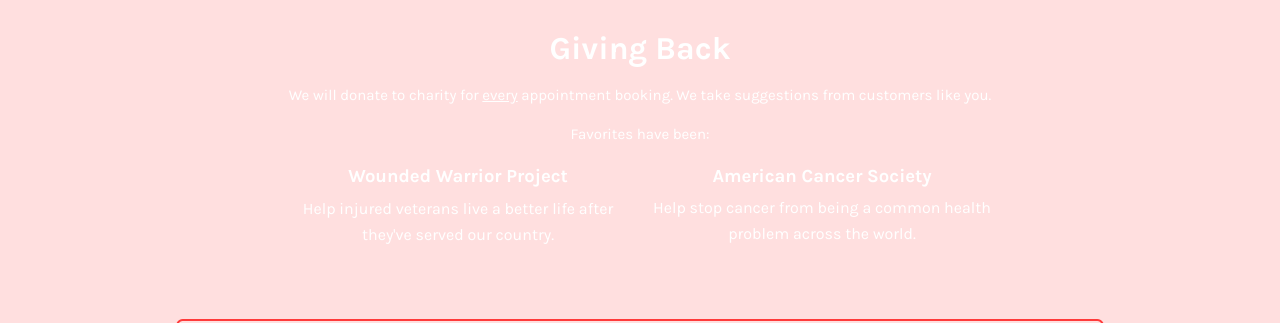
Ah, 'Giving Back'—black background, white text, and zero readability unless you plan to turn your monitor's brightness up to 'nuclear blast' levels. Genius!
spicyreadabilityThe low contrast in the 'Giving Back' section makes the text difficult to read, especially for users with visual impairments or in bright environments.
Fix
Consider increasing the text size or using a lighter background color to enhance readability.
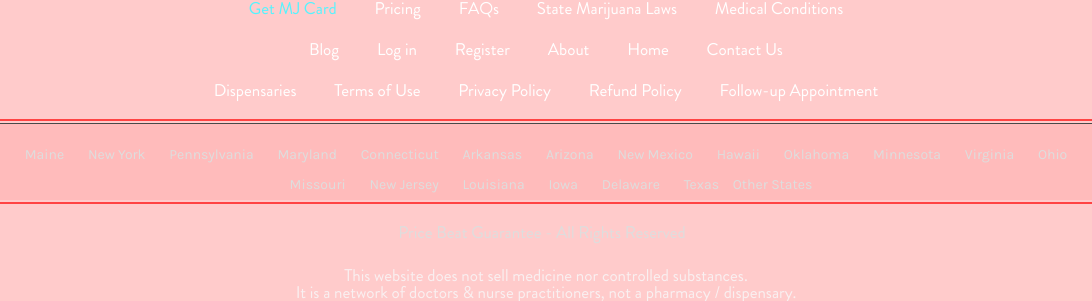
Ah, the footer—a rare world where links are mashed together like sardines in a tin can. It's like squinting is part of the user experience!
spicyreadabilityThe footer links lack spacing and visual differentiation, making it difficult to navigate or even discern individual links.
Fix
Introduce more whitespace and dividers between links to improve readability and allow users to effortlessly identify individual navigational options.
Does it even need to be said that 'responsive design' isn't just a fancy buzzword? Squashed content and minimal padding do not a user-friendly mobile experience make.
mediumresponsivenessLack of appropriate padding and space results in a cluttered display on mobile devices, making it challenging to interact with or appreciate the content.
Fix
Increase padding and margins in the mobile view for a cleaner layout that enhances readability and interaction.

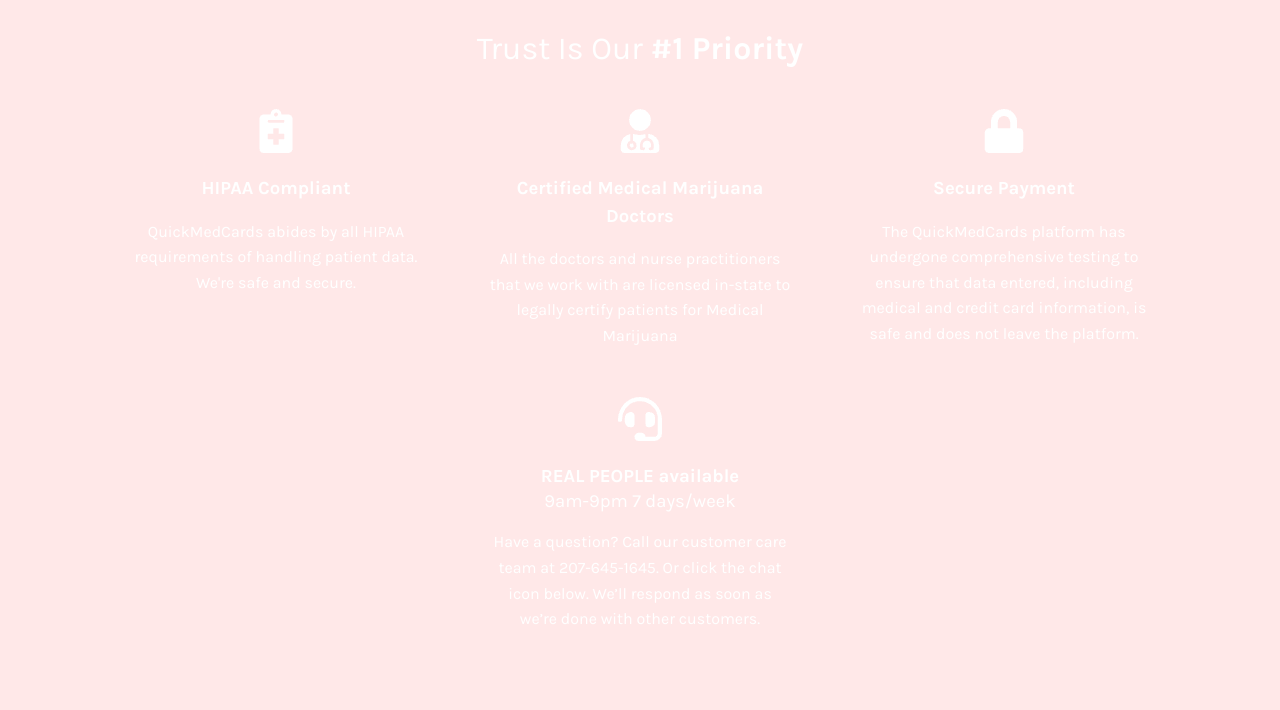
Ah, the miracle of responsive design—a world where elements adapt, but in this section, it's like they’re on a strict cinematic set freeze frame!
mediumresponsivenessThe elements in the 'Trust Is Our Priority' section do not adapt well on smaller screens, impeding user interaction and readability.
Fix
Ensure each element scales and repositions gracefully for smaller screens using responsive design techniques.
Subheaders are clear, but they’ve crammed in more words about putting patients before profit than in the actual instructions. It's like they’re trying too hard to convince you—cue the suspicion.
mildhierarchyThe ratio of promotional language to actionable information is imbalanced, potentially diluting the call to action's clarity and impact.
Fix
Recalibrate the emphasis on meaningful action points rather than overtly promotional verbiage.

Introducing the lineup for the latest Netflix drama, or wait—are those supposed to be profile portraits of actual doctors? Hard to tell with this 'Where's Waldo' style presentation.
mediumhierarchyThe section containing the doctor profiles lacks prominence and fails to convey their importance within the page hierarchy.
Fix
Highlight individual profiles with clearer labels and distinguishable borders or backgrounds to separate each block.

Nothing says organized chaos like this 'Please select the conditions' UI. Seriously, are we checking conditions or organizing a scavenger hunt?
mediumhierarchyThe unordered list of medical conditions lacks visual hierarchy, making it difficult for users to easily navigate and select options.
Fix
Implement clear bullet points or a more structured format to enhance user navigation and selection process.
Listing all the states in one line? That's a bold choice! Whoever said that endless scrolling is passé obviously hadn't met you.
mediumhierarchyPresenting a long string of state links without any logical grouping or hierarchy renders it complex and tedious for users to find specific information.
Fix
Use columns or drop-down menus to organize states into recognizable groups, making navigation more intuitive and less cumbersome.

Dear users, would you like to join our elite modal pop-up elite club? No? Neither would I. 'Other States' looks deceptively like a link but surprise! It's another pop-up. People love that kind of betrayal.
spicyinteractionModals launched from elements that appear to be regular links can disorient users who may not expect such aggressive UI behavior.
Fix
Use a clear differentiated style (icon or labeling) for elements that open modals to better set user expectations.

A clickable phone number! Except there's no hover effect—I guess users are meant to telepathically know they can click it?
mediuminteractionLack of hover effect for the clickable phone number may mislead users into thinking it is static content.
Fix
Implement a hover effect to signal interactiveness and guide users effectively.

You made a phone number clickable—but added no hover effect. Are users supposed to magically realize this isn't just static text?
mediuminteractionThe clickable phone number lacks hover feedback, failing to indicate interactivity, which may confuse users.
Fix
Add a hover effect to signify clickability, ensuring users recognize it as an interactive element.

Oh look, a big, bold 'NEXT' button with the charisma of a wet noodle. What exactly happens when you click next? A jump to the next century?
spicyinteractionThe 'Next' button lacks clear direction or context, leaving users questioning the form's objectives and next steps.
Fix
Add clear, concise text to indicate what users can expect from clicking this button, such as 'Proceed to Review Information'.

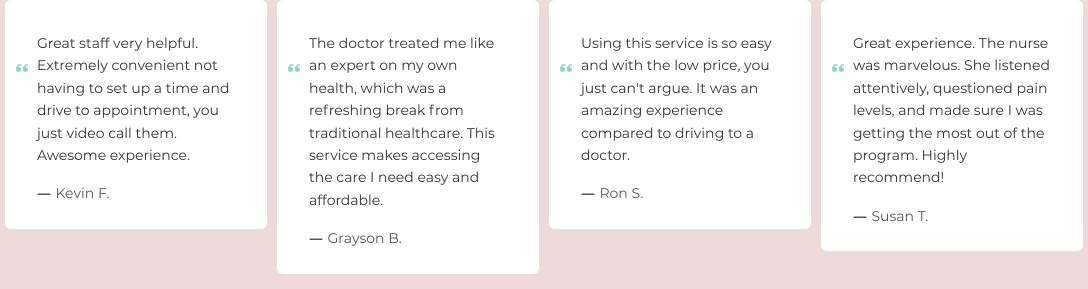
Testimonials galore! So many, in fact, that by the time you get through them, you'll have forgotten what the beginning of the page was about. Moderation, dear designers, not every single happy customer needs a spotlight.
mediumconversionOverloading users with too many testimonials can lead to cognitive overload and detracts from the primary call to action.
Fix
Limit the number of showcased testimonials and offer an option to load more for interested users.
UX scorecard
| Metric | Score | |
|---|---|---|
| Navigation | 70 | |
| Readability | 60 | |
| Responsiveness | 75 | |
| Hierarchy | 55 | |
| Interaction | 70 | |
| Conversion | 65 |
Wins & fails
The dark theme attempts to convey sophistication, a bit like wearing sunglasses at night.
There is a delightful amount of legal information that lets you know this isn't just a pharmacy with free samples.
With all those footer links, it's like an Easter egg hunt for adults who like challenges.
Feeling nostalgic for a simpler web? This footer’s dense 90s-vibe will take you back.
The grayed-out footer text keeps users guessing—a mystery-solving delight for the curious!
Visas logo spotted! At least your brand affinity is on point, right?
Good luck finding the 'Contact Us' link at first glance; at least it's safe from spam!
Footers are where design goes to hide, and this one mastered camouflage.
A buffet of links crammed to challenge even the best navigators. It's cardio for the eyes!
Text color and background are competing in 'Who Can Be Darker.' Spoiler: it's tough to tell who wins.
Footer hierarchies are like rare treasures, but who wants that when you can have chaos?
Contrast? What contrast? Even my mouse pointer needs a torch to navigate here.
Legal text is tiny enough to test whether users need glasses, doubling as a health service.
Want users to access contact info? Too bad! Here it's well-hidden like treasure in a pirate flick.